Default pixel art preview
Original Size0 × 0
Pixel Size50 × 50
Colors Used0

Color Palette

Feature Introduction

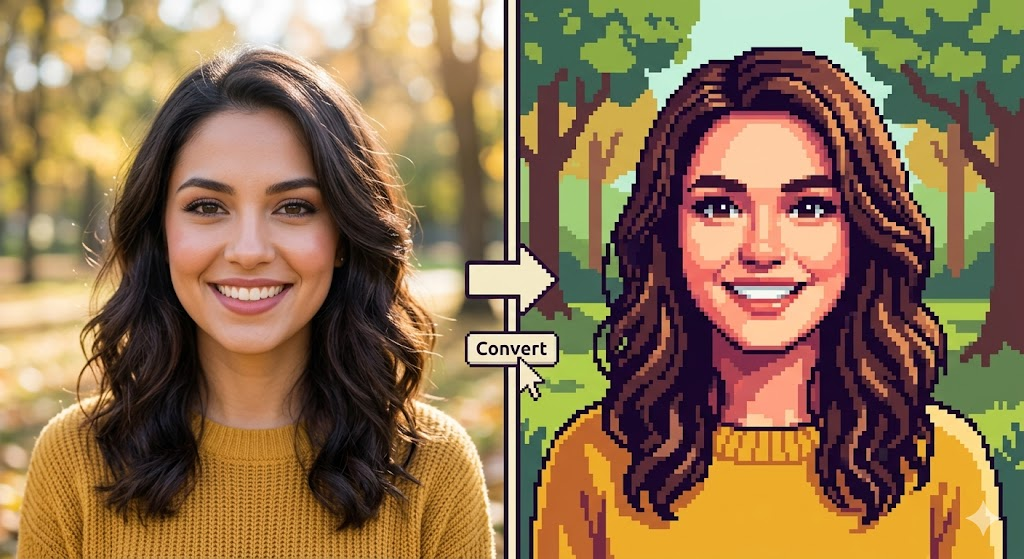
Image to Pixel Art Converter

Turn any image, selfie, or photo into stunning pixel art in seconds.

  • 1Upload PNG/JPG/WebP
  • 2Adjustable pixel size
  • 3One-click download
Image to Pixel Art Converter

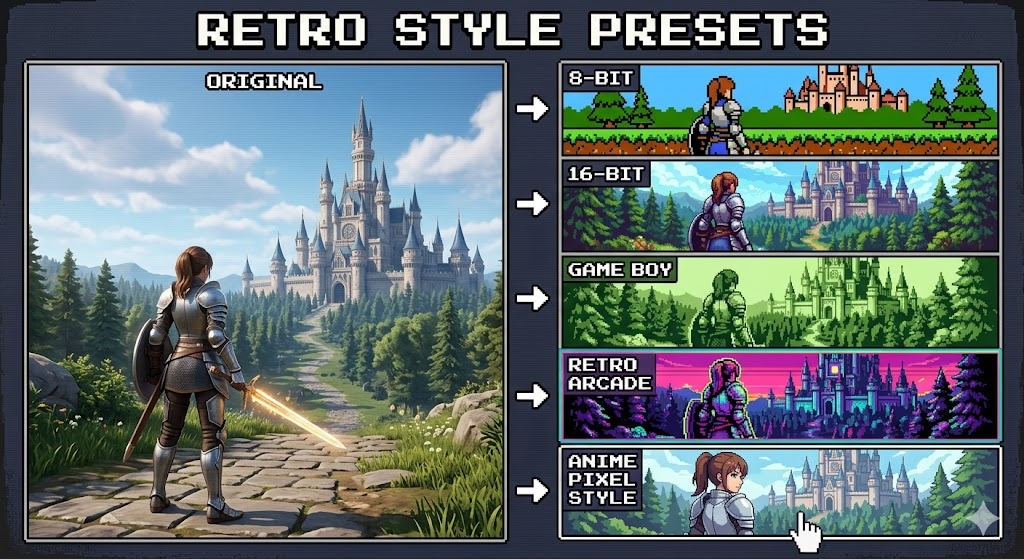
Retro Style Presets

Choose between classic styles:

  • 18-bit
  • 216-bit
  • 3Game Boy
  • 4Retro arcade
  • 5Anime pixel style
Retro Style Presets

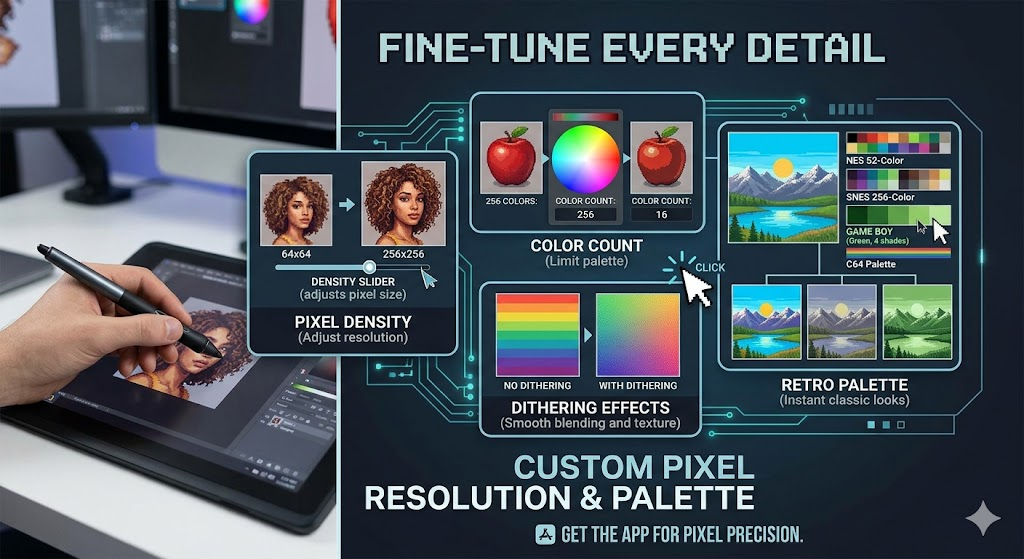
Custom Pixel Resolution & Palette

Fine-tune every detail.

  • 1Pixel density
  • 2Color count
  • 3Retro palettes
  • 4Dithering effects
Custom Pixel Resolution & Palette

How to generate pixel art images

1

Upload Your Image

Upload any photo, avatar, or picture to our Pixel Art Generator and instantly turn an image into pixel art.

2

Customize Pixel Style

Choose pixel size, color palette, and retro styles like 8-bit or 16-bit pixel art.

3

Generate & Download

Click generate to create stunning pixel art online and download your image in seconds — free and no signup required.
FAQ